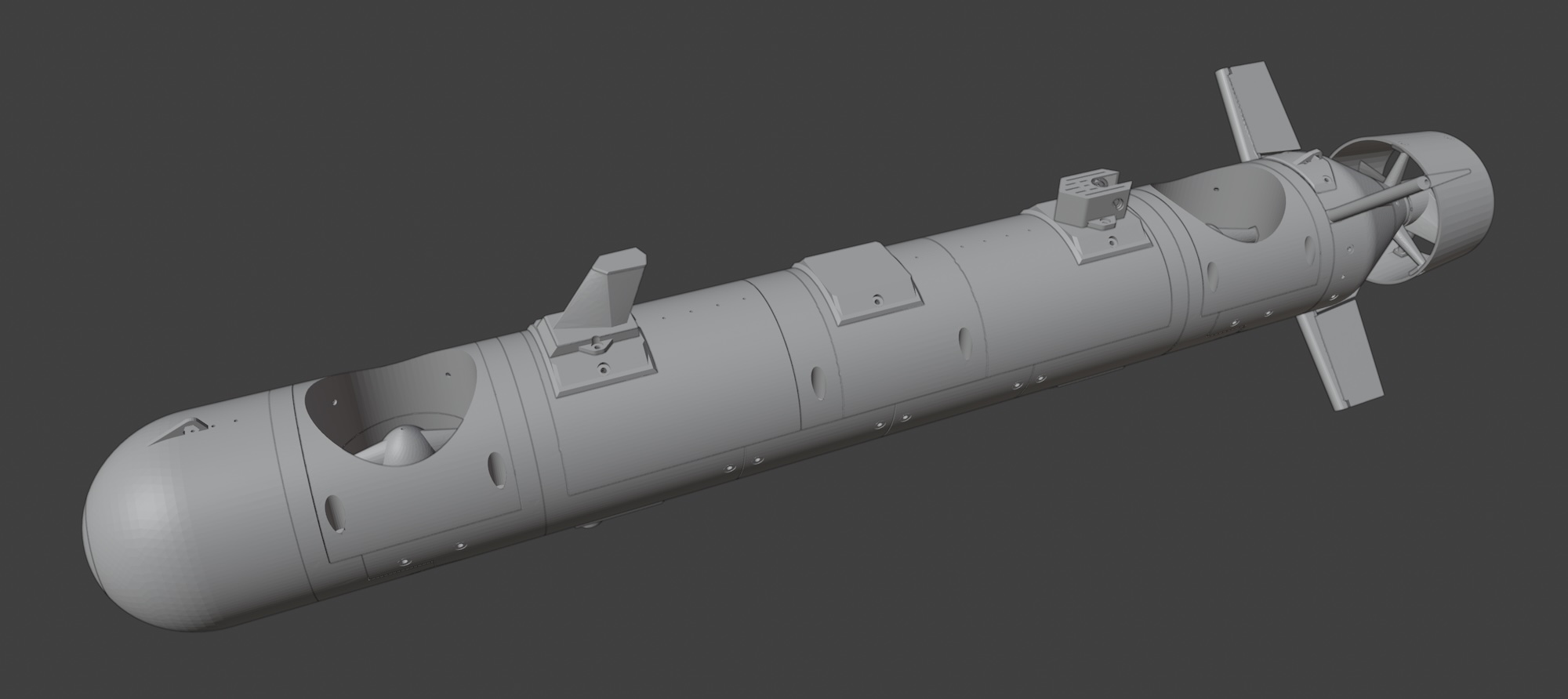
E/Xplorer AUV parts
3D print them, assemble them...
E/Xplorer is the most advanced 3D-printed craft out there. Its 3D parts are tailored for performance, efficiency, and beauty. No special printer is needed to produce a strong, smooth AUV from our parts—you will be satisfied with the outcome regardless of which printer you use.
General printing notes
- For this project, you will need a printer with at least a 200×200 mm build area. Not every part needs that size, but one or two do.
- Most parts are designed to be printed without supports. If supports are not mentioned in the docs, they are not needed for that part.
- We sometimes provide information about materials, temperatures, and other parameters. This is offered as "the best we know." If you are confident in your own knowledge and experience, feel free to use your own judgement and tweak our setup.
Assembly tips
Using our Build Assistant is the easiest and most reliable way to build this project. The Assistant serves as a guide, documentation, and project management tool all in one. You will know what is needed, when it is needed, and how it should be done. Your build progress will be tracked, so every time you come back to an ongoing project, you will be immediately up to speed and can jump right back in without wasting time. The Assistant will ease and greatly speed up your build.
It is also a good idea to check the Blender files for each section whenever we provide them. They are a visual, interactive, and intuitive aid for assembling the printed parts. Using Blender (free), you can always find out where each part goes—rotate the view, zoom, hide parts, or move them for a better look.
We use hex screws for assembling all parts. We adopted this approach from assembling our 3D printers and other DIY machines—it is part of an engineering tradition. Of course, you can use whatever kind of screws you want, as long as they are M3. See the Screws and nuts section of this Partbase.
Blender files vs STLs
We provide Blender files for reference only. We recommend not using them to produce 3D parts. Blender files can contain outdated parts that look as if they fit, but a small, important detail may differ from the most recent part. Always use the STLs, as they are always up to date.
Partbase
Some 3D files are not documented in the 3D parts section. Those files are typically linked to mechanical parts—for example, propellers depend on motors, and sensor housings depend on specific electronic components. Therefore, you will find those 3D files in the Mechanical and Sensor sections.
This Partbase serves mainly as a reference and component buying guide. To build the craft, it is more convenient to use our Build Assistant, which includes video tutorials, how-tos, tips, tricks, and everything you need from start to finish.
(Last update: 23.4.2026)